
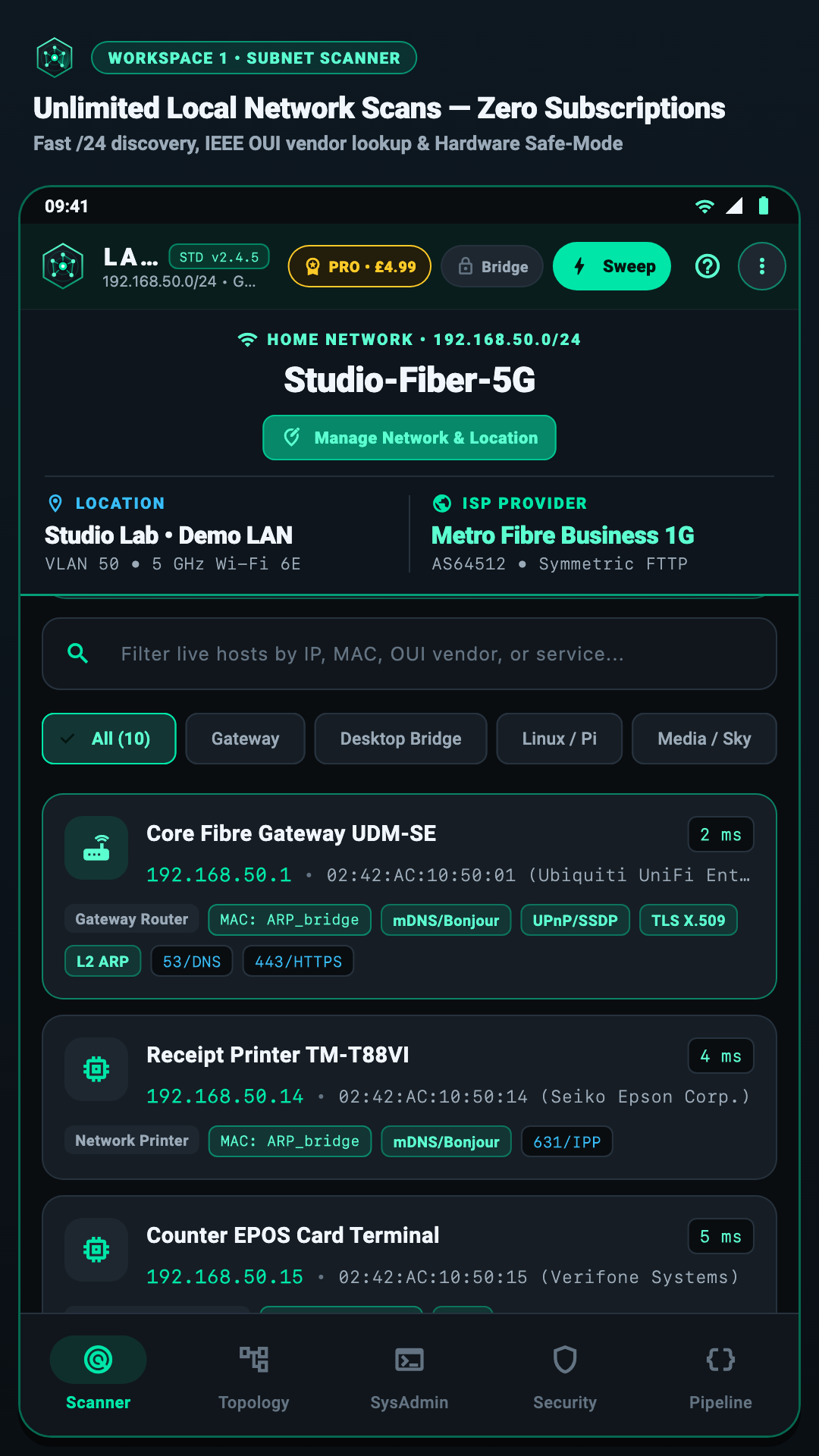
1. Device Discovery
Find Every Connected Device
Wakes sleeping phones, identifies 40,399+ brands offline, and protects office printers automatically.
Tap to enlargeNo cloud accounts. No monthly subscriptions. LanKinetix finds every device on your home or office Wi-Fi—Wakes power-saving iOS & Android Wi-Fi radios via paced UDP 5353 (mDNS) & 33434 DTIM beacon bursts, TCP 62078 Lockdown probes, and Gateway PTR/ARP consensus.—maps your network in 2D & 3D, pinpoints weak rooms, and pairs with our free L2 Desktop Bridge via QR.
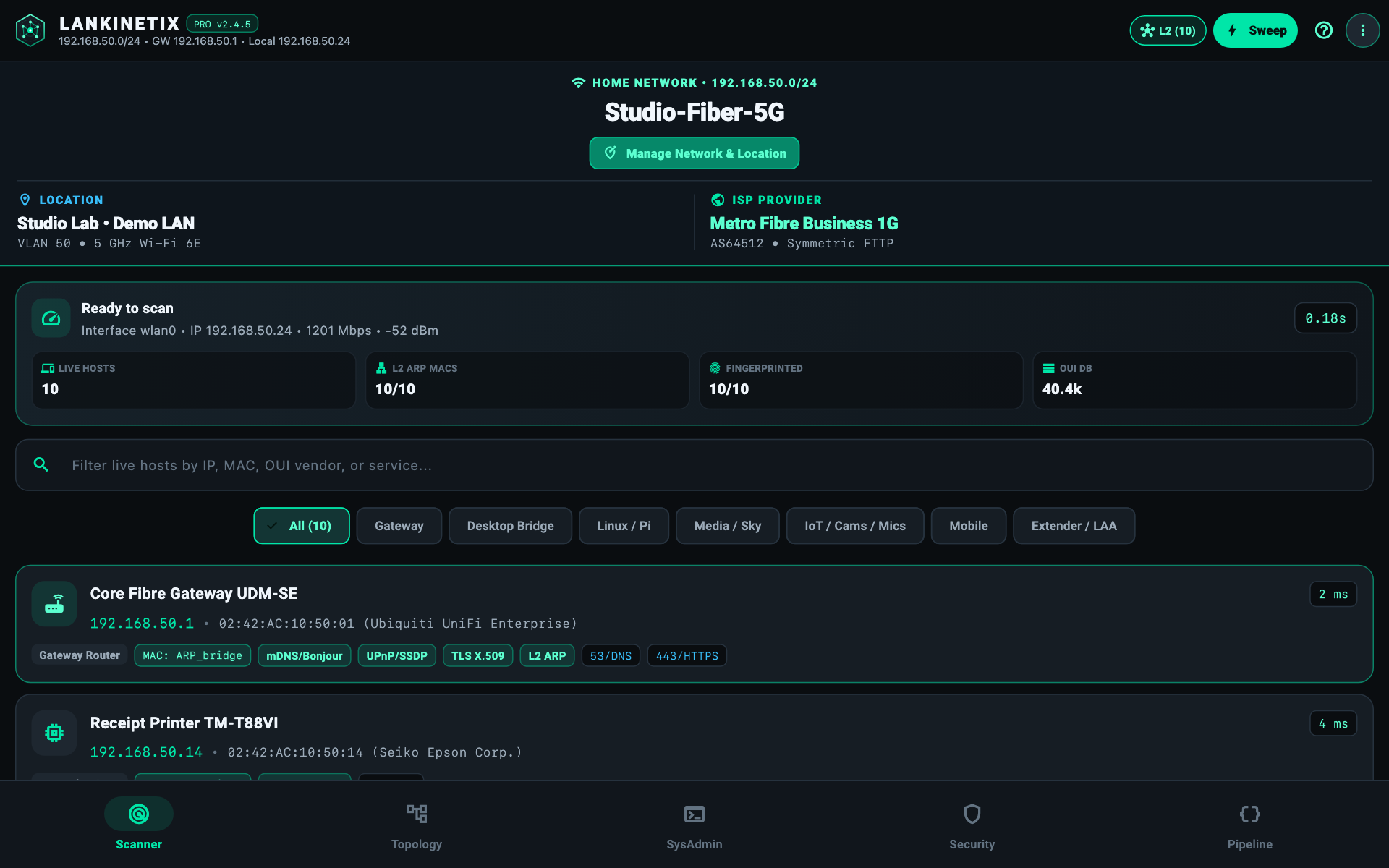
Clean, high-contrast dark OLED interfaces that give you instant answers without clutter. Click or tap any screenshot below to open it full-screen.
Wakes sleeping phones, identifies 40,399+ brands offline, and protects office printers automatically.
Tap to enlarge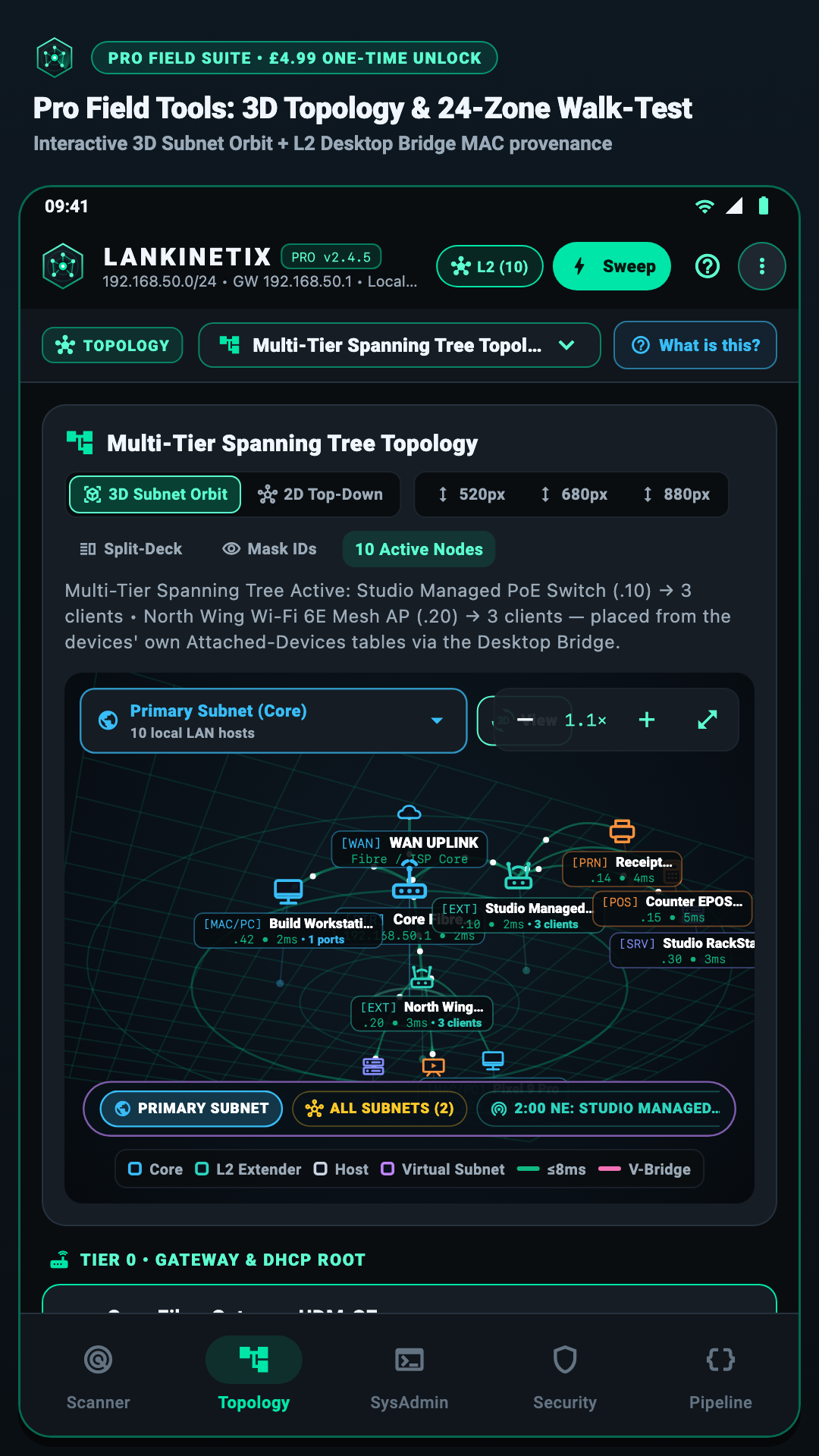
See your router, mesh boosters, Guest Wi-Fi, and devices in 2D or 3D with 1-tap screenshot privacy blur.
Tap to enlarge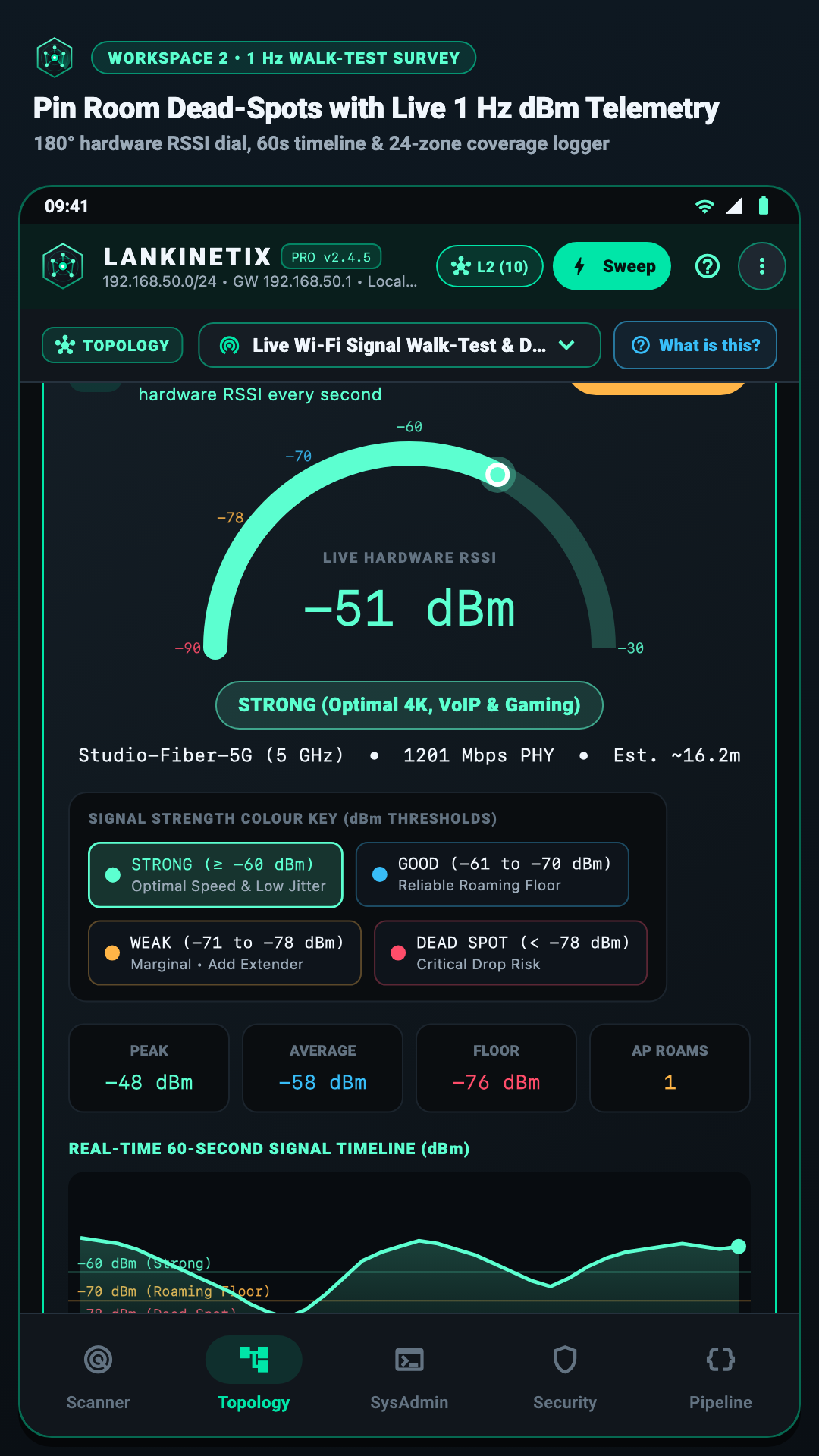
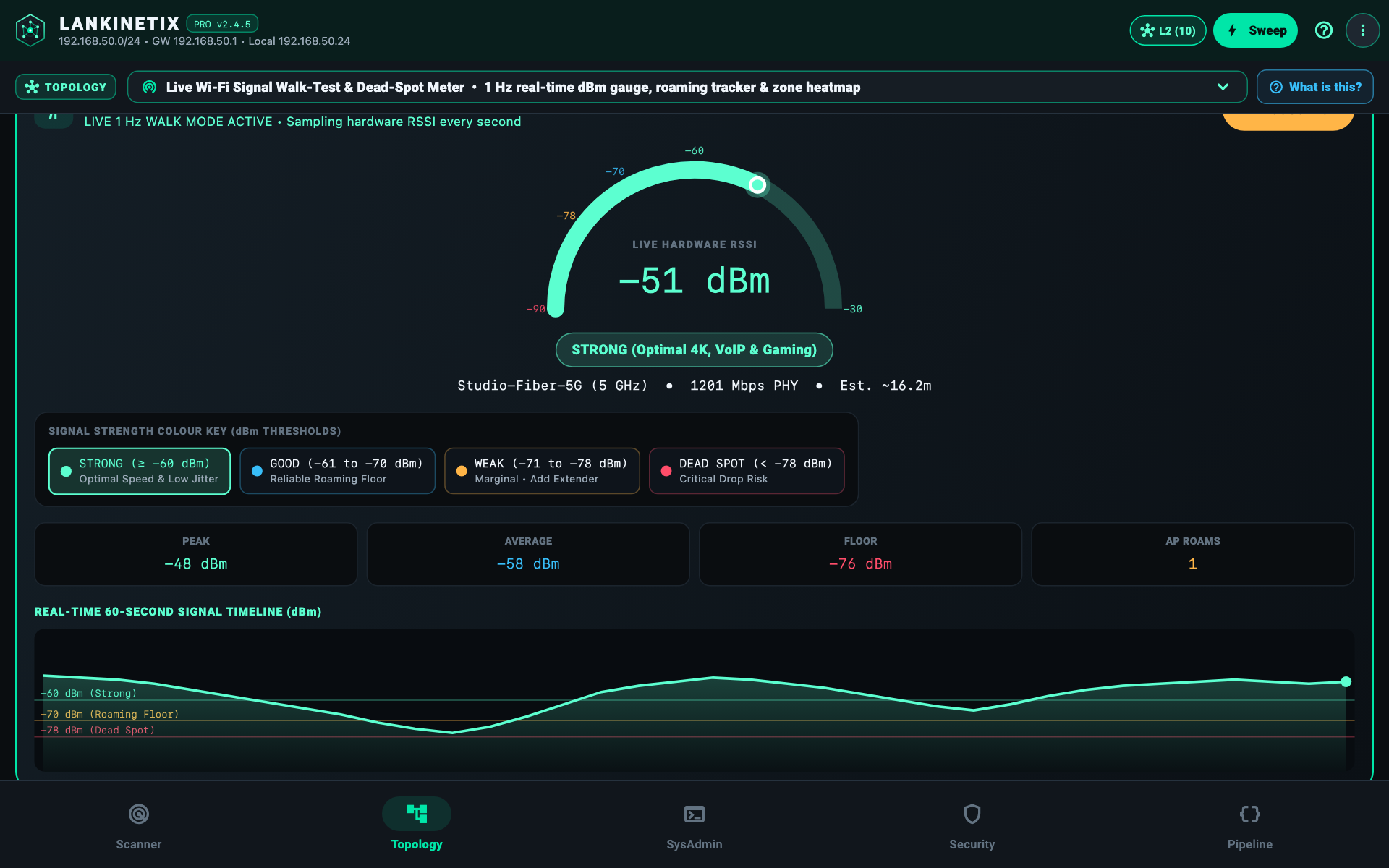
Walk around your home or office and tap each room for an instant PASS, GOOD, MARGINAL, or FAIL rating.
Tap to enlarge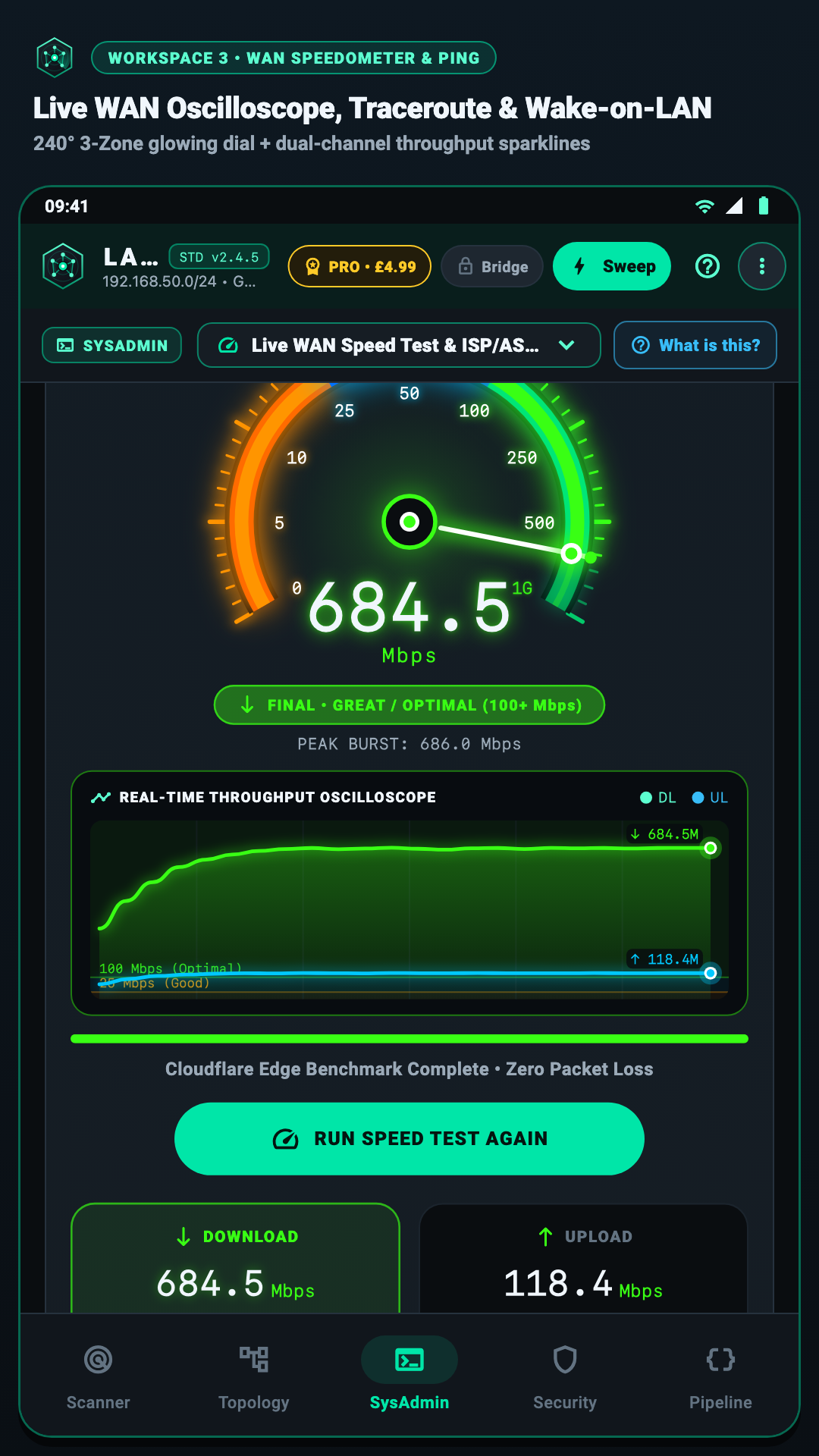
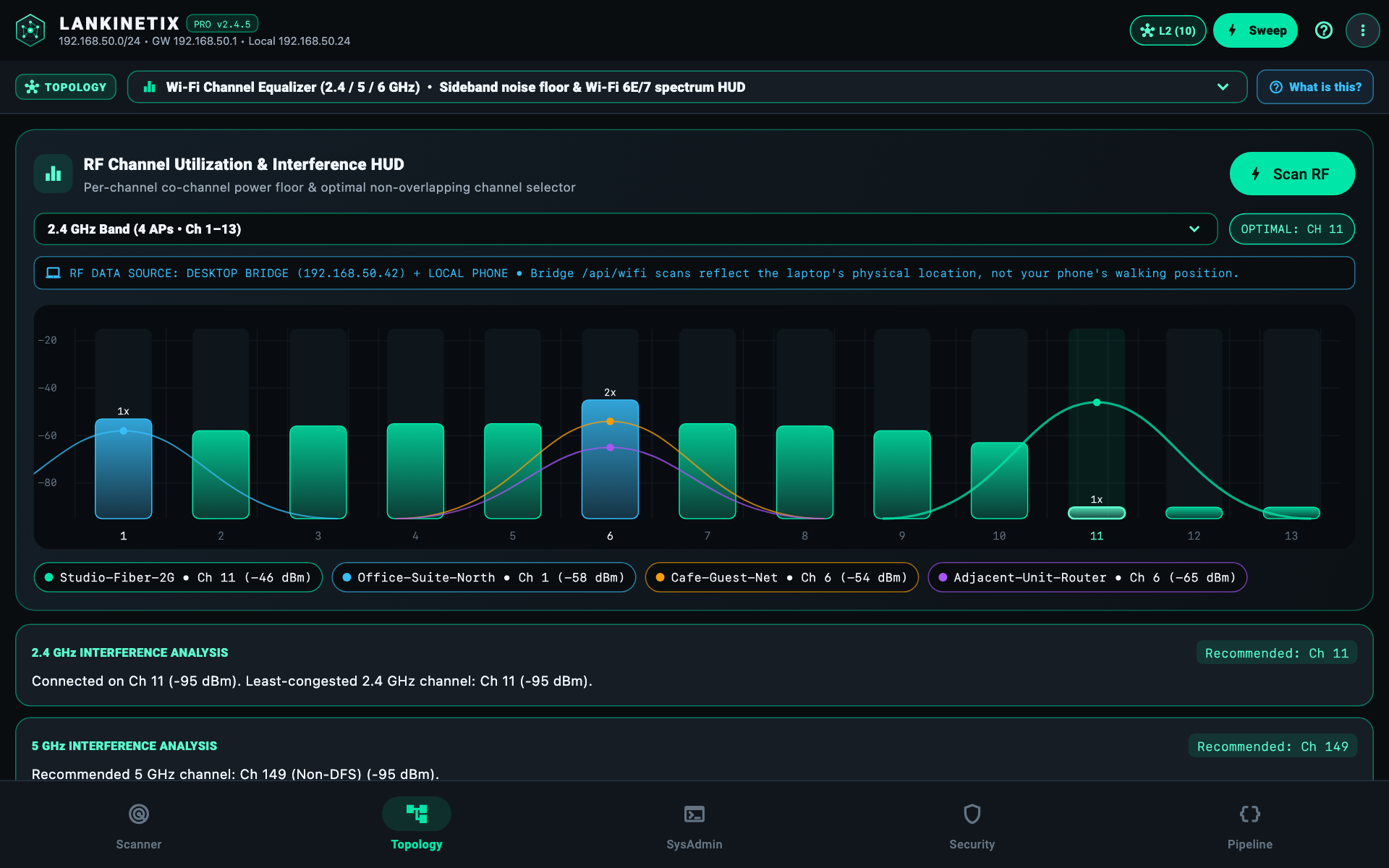
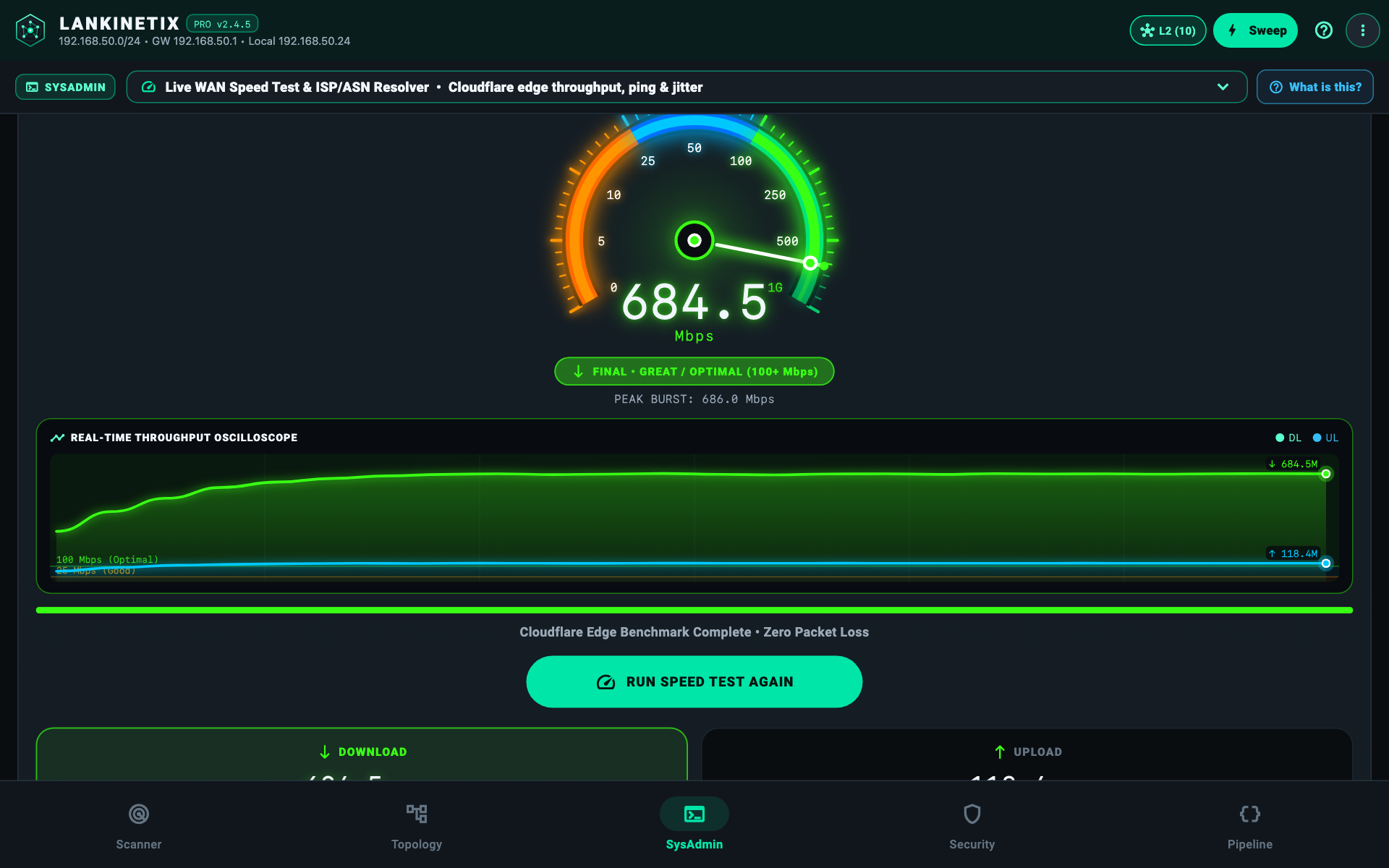
Test your real broadband speed and ping, and see the cleanest 2.4, 5, or 6 GHz Wi-Fi channel to use.
Tap to enlarge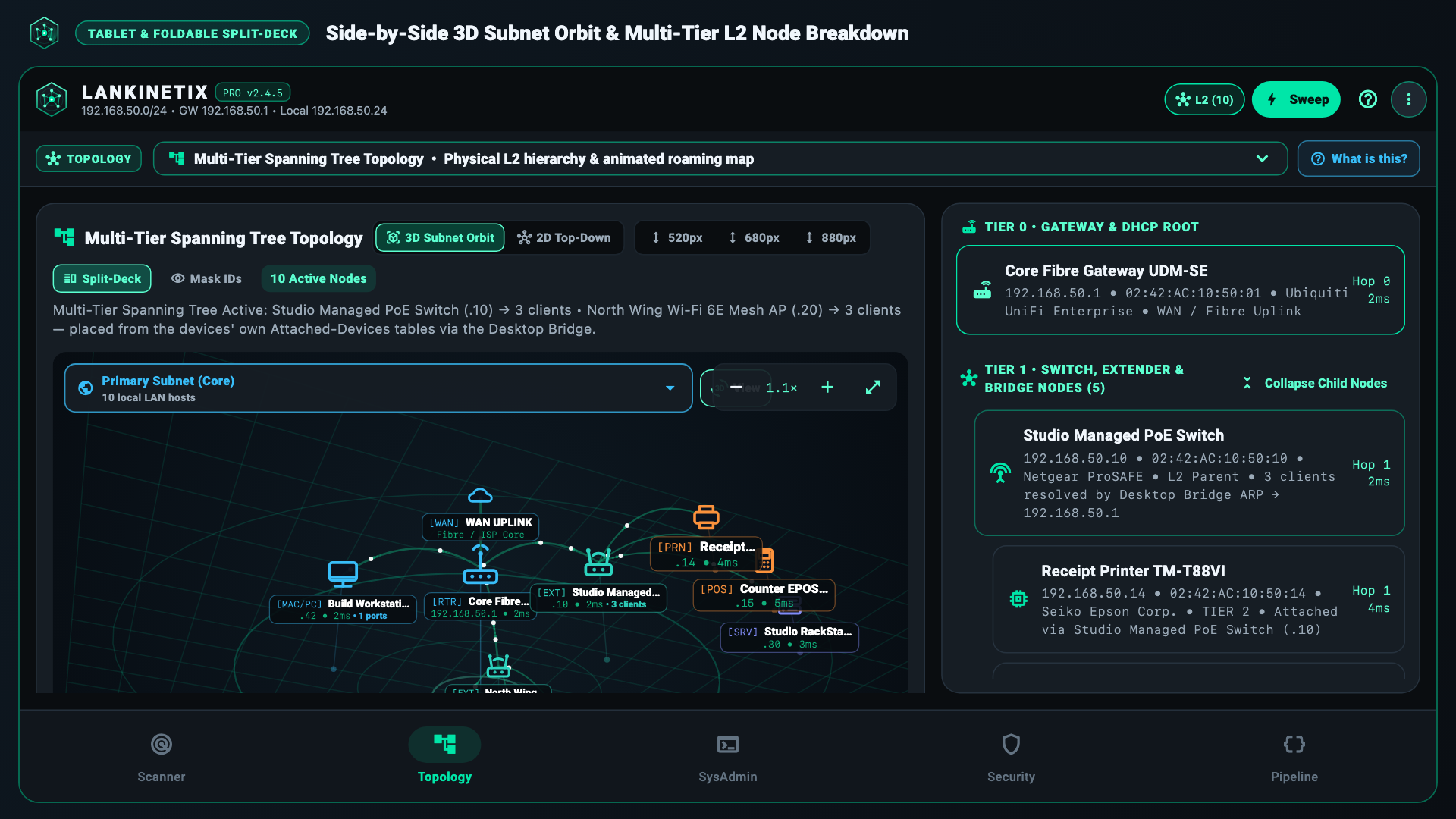
On foldables, tablets, and the Desktop Edition, LanKinetix expands into a dual-pane command deck so you can explore your network map and inspect individual devices side by side.
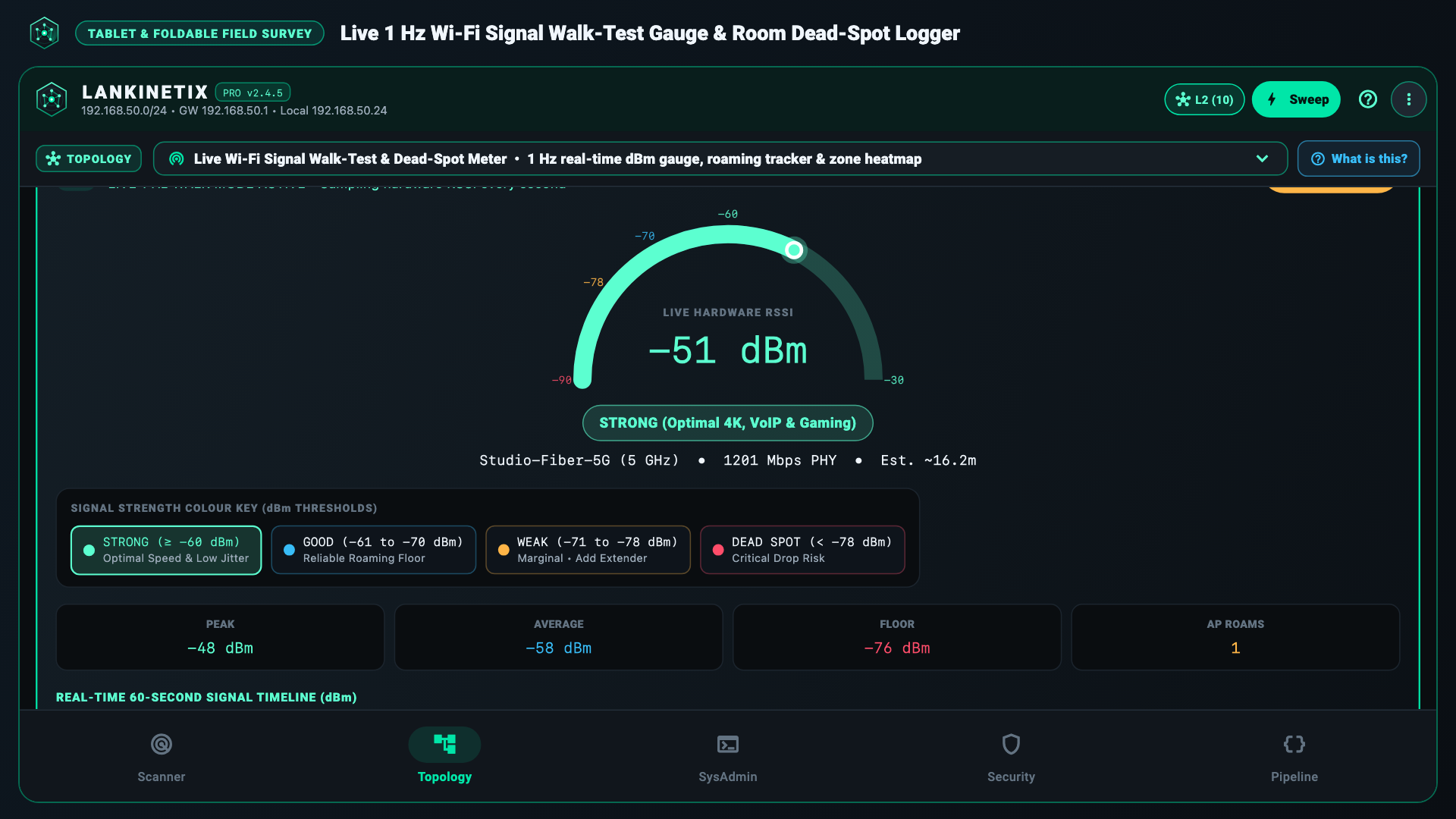
Log signal strength across up to 24 rooms or office zones, compare 2.4 / 5 / 6 GHz channel congestion, and export clean PDF, CSV, JSON, or Home Assistant reports in one tap.
Practical tools that work 100% locally on your network—with zero accounts, zero cloud tracking, and built-in hardware safety.
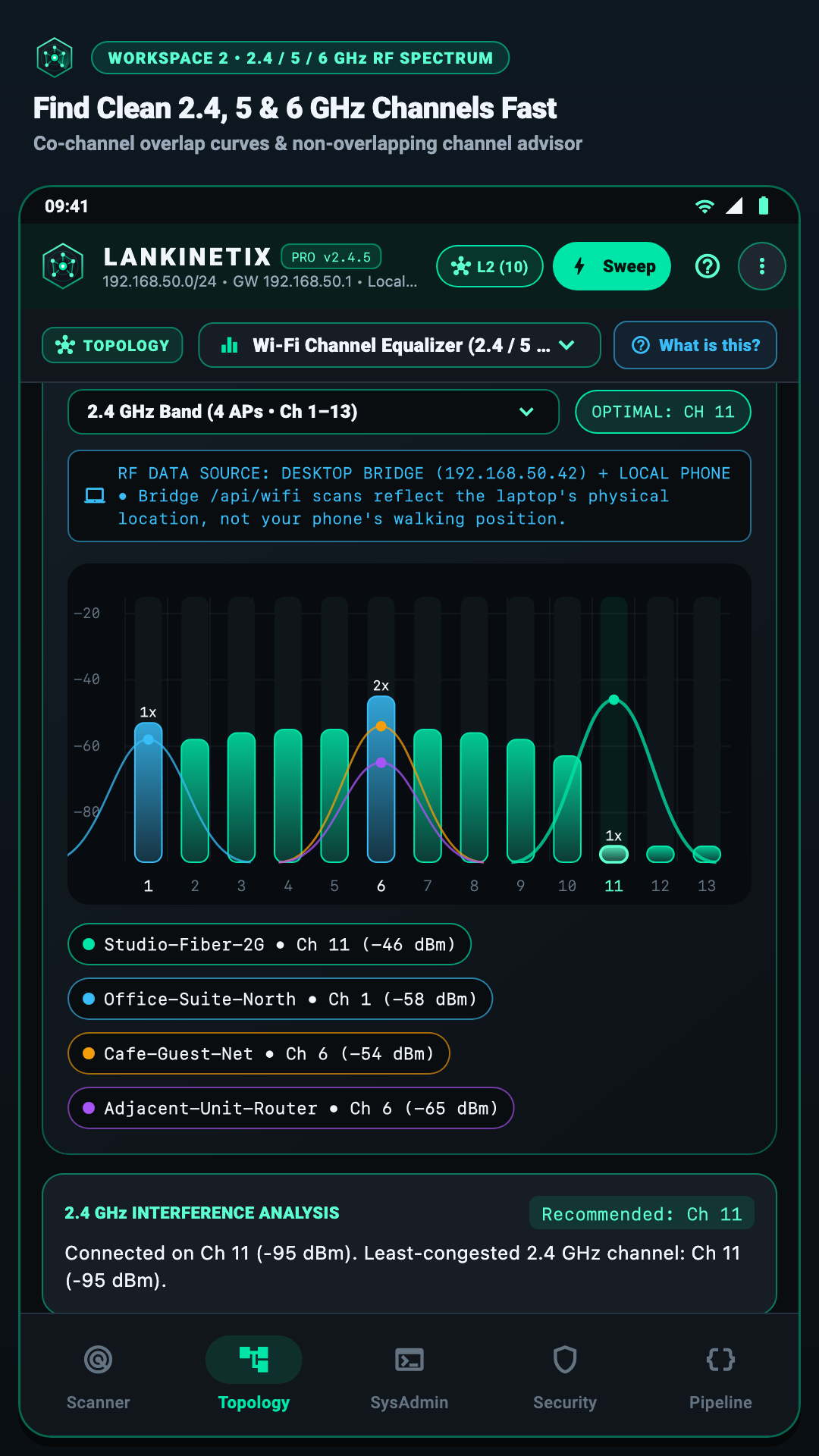
See which Wi-Fi channels are crowded by neighbouring routers and get a clear recommendation on the cleanest channel for your router.
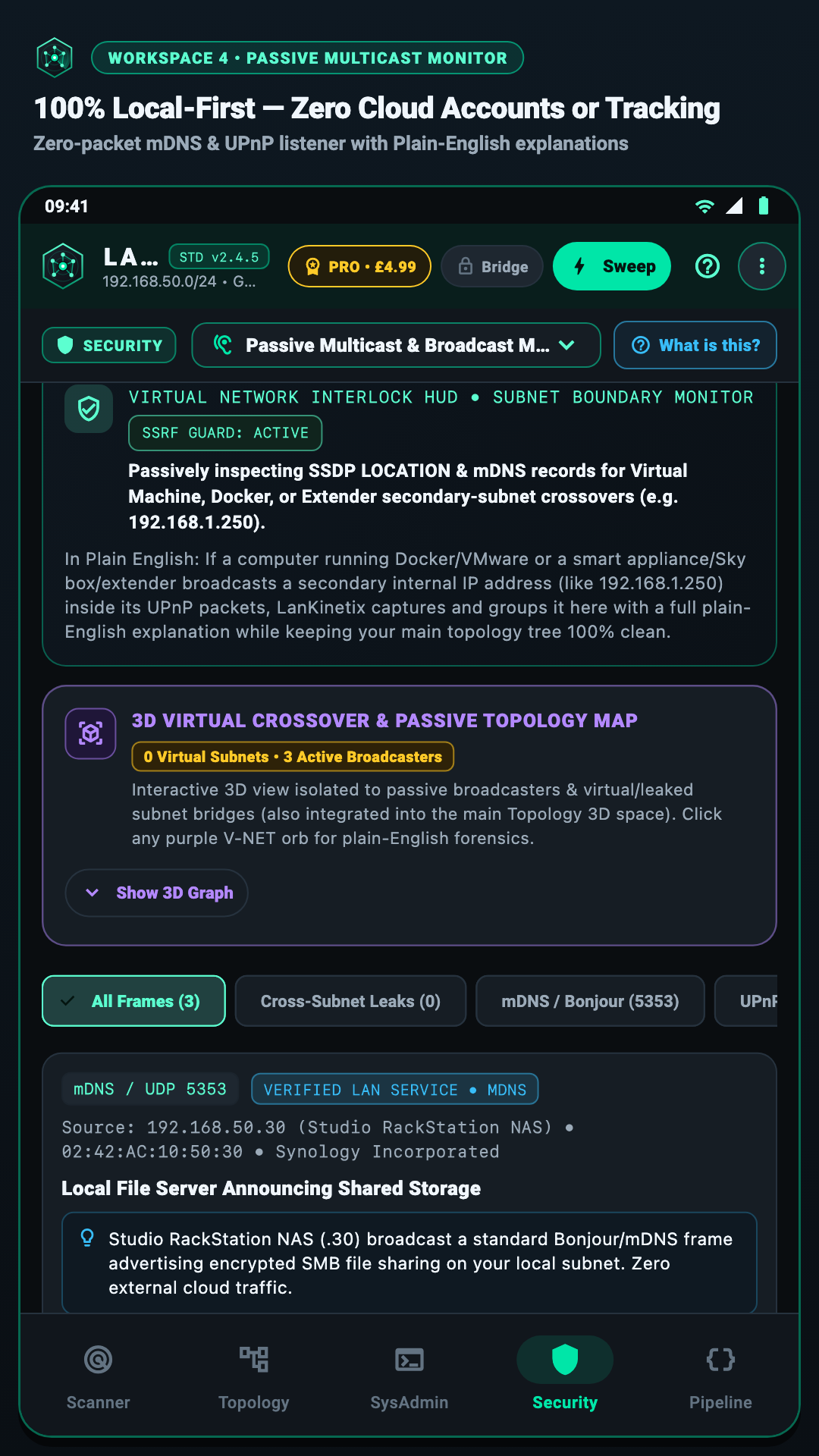
Detects smart TVs, speakers, and cameras while automatically protecting receipt and office laser printers so they never print garbage pages.
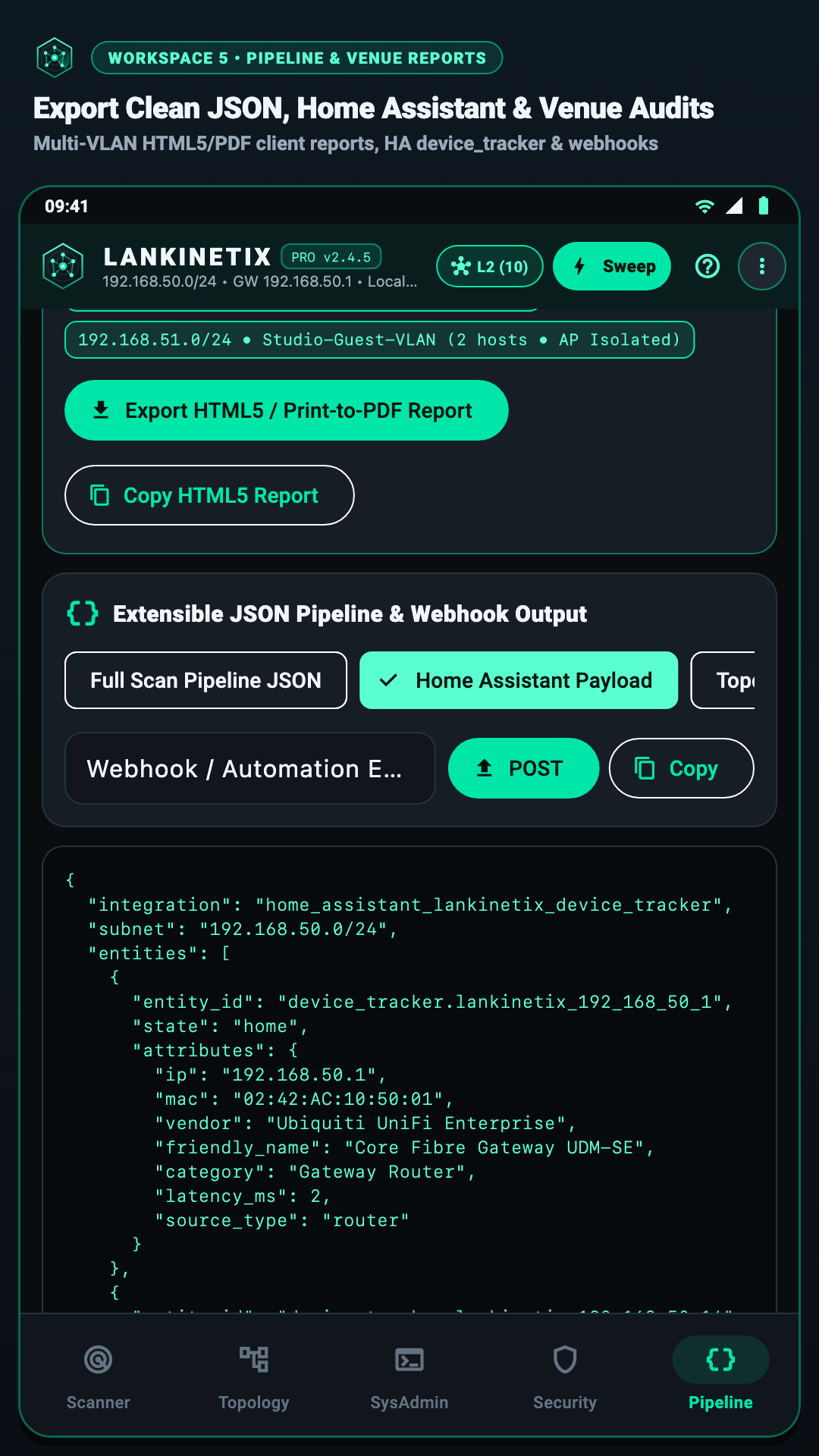
Export printable PDF venue reports, router MAC blocklists, CSV spreadsheets, or ready-to-use Home Assistant configurations in seconds.
Modern Android phones hide low-level hardware address tables for privacy. Run our free Companion L2 Desktop Bridge on any Mac, Windows PC, or Linux machine and scan the terminal QR code with your phone to unlock full hardware MAC addresses, mesh booster grouping, and unthrottled Wi-Fi scans—without rooting your phone.
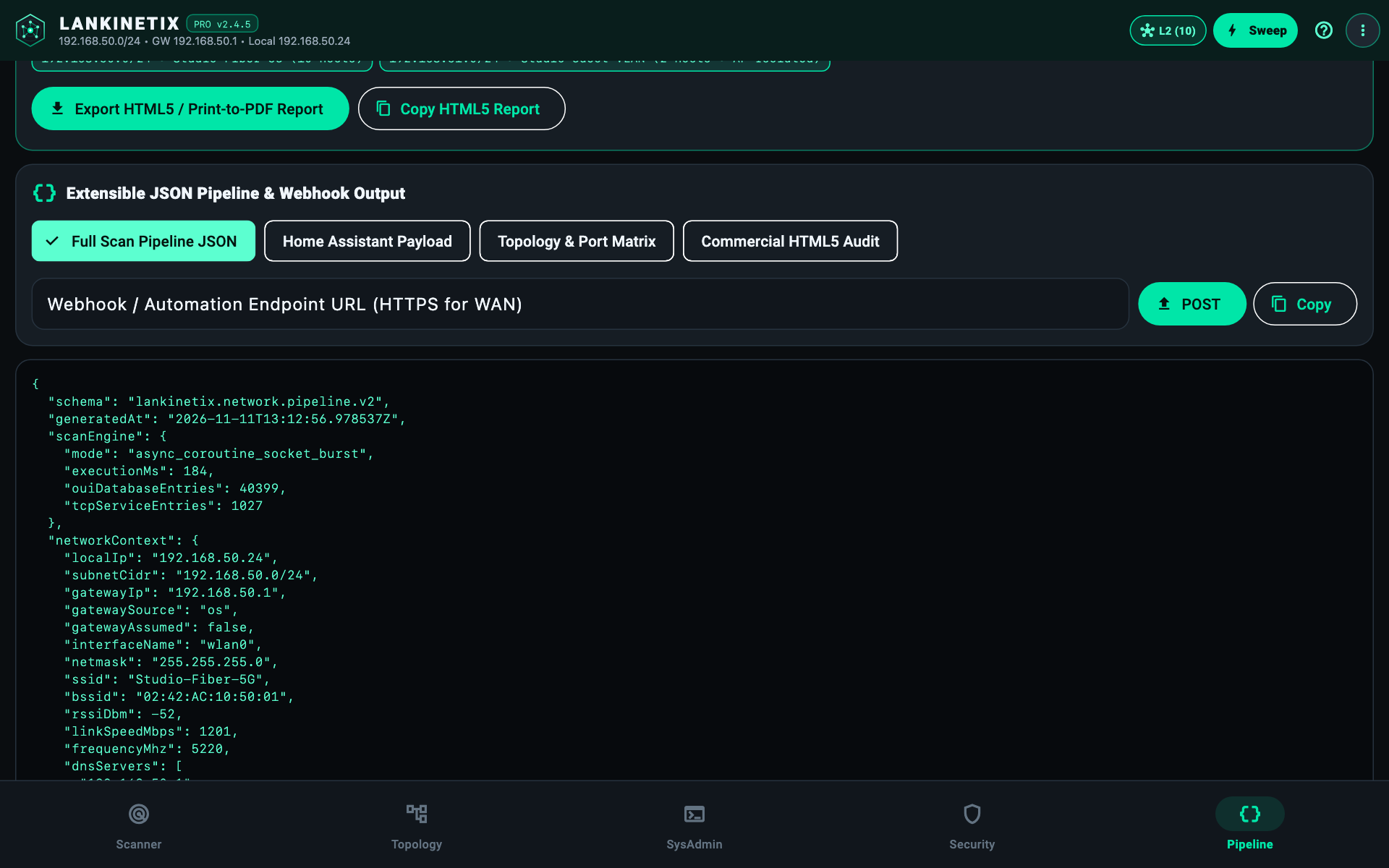
Starts in one second and prints a scannable QR code right in your terminal window.
Open Top-Right Menu → P2P Bridge & QR Pairing → Scan Laptop Terminal QR and point your phone camera at the screen.
# Option A: Standalone macOS binary (Intel native / Apple Silicon via Rosetta 2)
chmod +x ./lankinetix-cli-v2.4.5-darwin-x86_64
./lankinetix-cli-v2.4.5-darwin-x86_64 --bridge

# Option B: Cross-platform Dart source bundle (Windows, Linux, Raspberry Pi & macOS)
cd lankinetix_cli && dart pub get
dart run bin/lankinetix_desktop_bridge.dartThe CLI & L2 Desktop Bridge is 100% free to download and run today. Want the full graphical LanKinetix interface running natively on your computer screen without a phone? Join the v2.5 Early Access Waitlist for LanKinetix Desktop (£29 one-time, 1 seat) or Commercial (£149/yr, up to 3 named technicians) — zero payment taken today.
Start free on Android and desktop CLI, unlock lifetime Mobile Pro at our launch price, run standalone Desktop, or licence a 3-technician Commercial team.
v2.4.5 open via Google Play Closed Testing.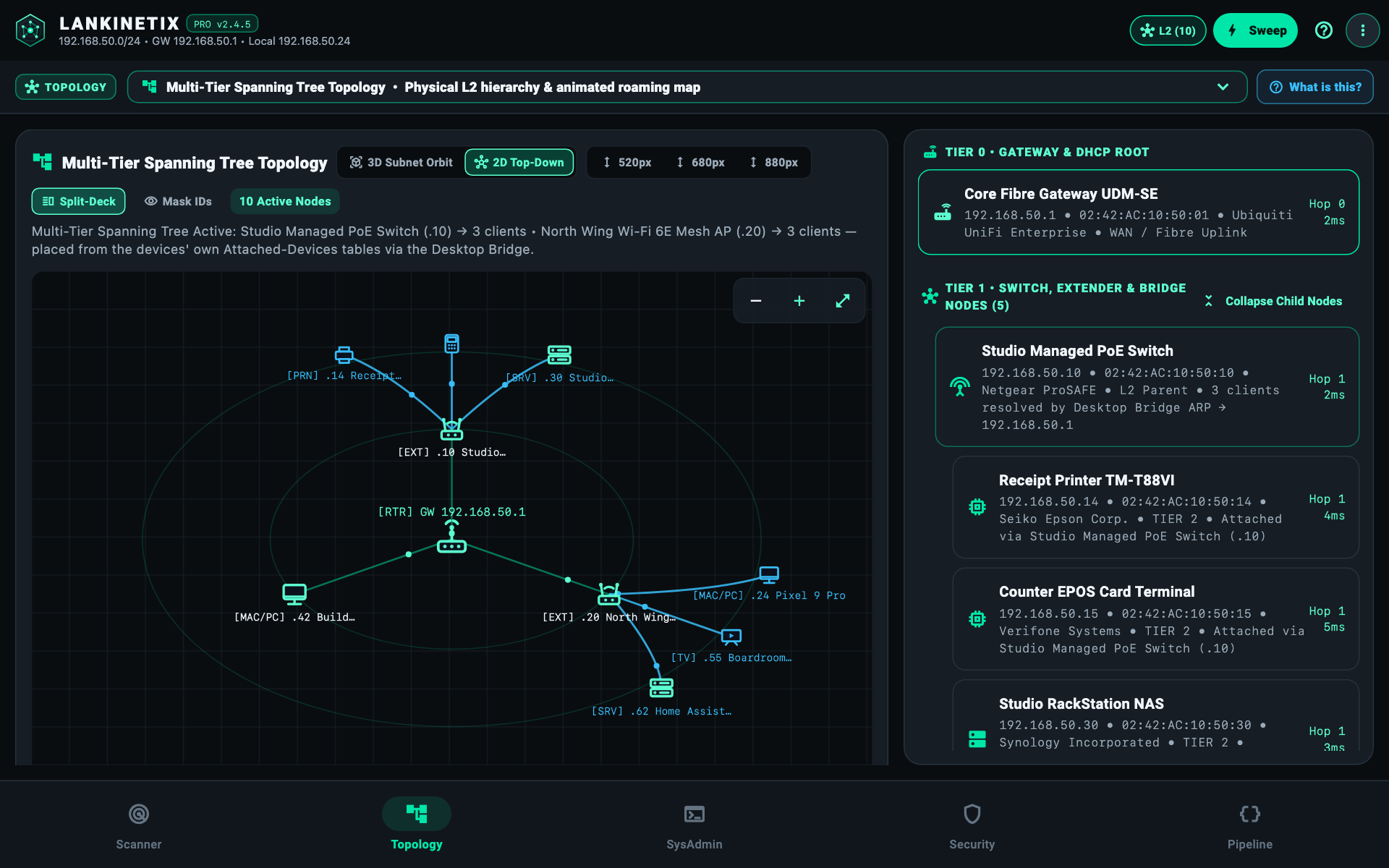
lankinetix_pro_lifetime via Google Play (£9.99 standard price; £4.99 launch offer — paid billing activates ahead of public Store rollout).
Download the free open CLI & L2 Bridge daemon (lankinetix.bridge.v3) today, read our 10-Minute First Survey Quick-Start, check LanKinetix vs Fing, or pre-register for our £30-per-referral Installer Programme (v2.5).
Every workspace is designed for fast, one-handed use on phones and expansive split-screen layouts on foldables and desktops.
iOS and modern Android aggressively sleep their Wi-Fi radios between router beacons and ignore ordinary ping sweeps. Before port scanning, LanKinetix dispatches a paced 16-host micro-batched UDP wake burst to ports 5353 (mDNS) and 33434 so your access point flags buffered unicast frames in its next 802.11 DTIM beacon, queries your gateway's DNS PTR lease table, and probes TCP 62078 (Apple iOS Wi-Fi Lockdown) alongside ICMP. Even when a firewalled phone drops inbound TCP SYNs, its waking radio still answers Layer-2 ARP—which our free Companion L2 Bridge (:8787) reads directly from your computer's OS ARP cache.
Never. LanKinetix has no user accounts, no cloud servers, no ad trackers, and no analytics SDKs. Every scan, network map, and room walk-test stays 100% on your own device and local network.
Head straight to our Downloads & Pricing page (downloads.html) for the free CLI and Companion L2 Bridge and Google Play links for Android today. Standalone Desktop Edition (£29, 1 seat) and Commercial Multi-Tech (£149/yr, 3 named technicians, white-label client PDFs) are in v2.5 Early Access Waitlist on For Installers with zero payment taken today.
Unlike cloud-coupled utilities that cap free users at 3 scans per day or require recurring subscriptions, LanKinetix executes 100% offline with unlimited /24 sweeps in Free Standard, zero accounts, zero telemetry, and pay-once ownership. See our side-by-side LanKinetix vs Fing comparison.
Always-active Hardware Safe-Mode classifies office laser printers, label printers, and thermal POS/EPOS receipt terminals at Stage 1 and strictly quarantines raw print ports (8080, 8081, and 9100–9102) without sending payload probes—preventing wasted receipt rolls, garbage pages, or stalled shop terminals.
LanKinetix runs natively on Android 8.0+ phones, tablets, and dual-screen foldables (com.asai.lankinetix), while the standalone Desktop Edition and free Companion CLI / L2 Bridge support macOS 12+ (Apple Silicon & Intel), Windows 10/11, and Linux / Raspberry Pi OS across Wi-Fi 4, 5, 6, 6E, and 7. View full specs on the Compatibility page.
Free Standard and the Companion CLI / L2 Bridge are £0 forever and live today. Mobile Pro (lankinetix_pro_lifetime) is a one-time Google Play purchase (£4.99 Launch Offer ending 17 Feb 2027; £9.99 standard) with zero subscription. Opening in v2.5 (Early Access Waitlist): Desktop Edition (£29) is a perpetual 1-seat licence with a 14-day refund window, and Commercial Multi-Tech (£149/yr) covers 3 named technicians including Desktop plus white-label client PDFs (dropping gracefully to Desktop if not renewed). See Downloads & Pricing.